Fire Alarm Panel Beeping: Alarm, Trouble and Supervisory Signals
Alarm, supervisory and trouble describe different system conditions. The exact display and the installed system instructions determine the response; a beep alone cannot diagnose the fault.
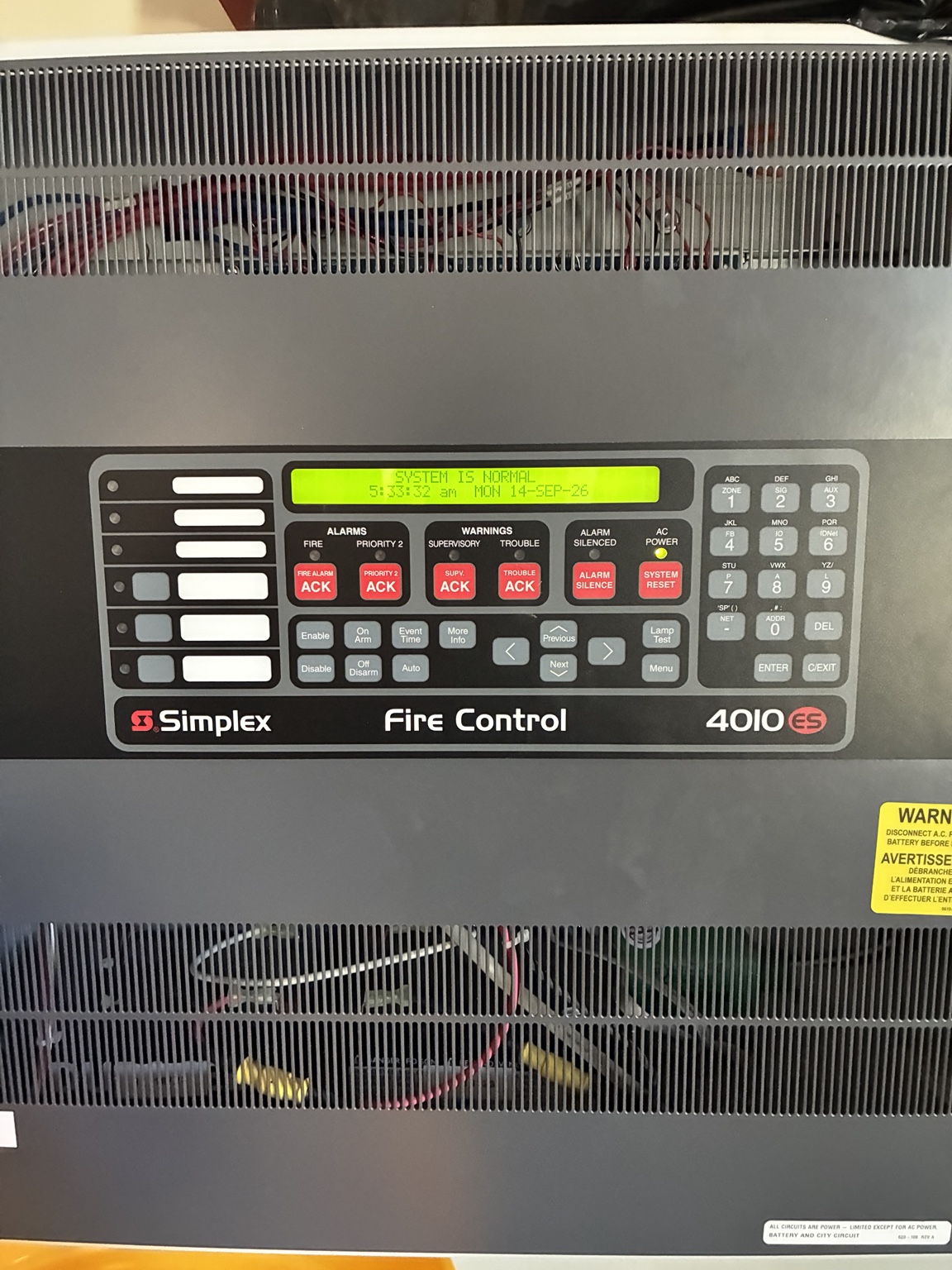
What to do
Read and photograph the display
From an already safe accessible location, photograph and write down the exact trouble message, time, device/point or zone, and the number of events. Note which LEDs are lit. Do not open the panel cabinet or change programming.
Look for safe, obvious building conditions
Without opening electrical or fire-alarm equipment, observe whether there was a recent power outage, nearby construction, water intrusion, a damaged accessible device, a disconnected supervised component, or another condition that could explain the message. Report observations; do not bypass or repair fire-alarm circuits.
Distinguish the labels
An alarm reports a possible emergency. A supervisory signal calls attention to a monitored fire-protection condition. Trouble indicates a fault in the system or associated equipment. Several conditions can coexist.
Check whether protection or communication may be impaired
The display may indicate AC power loss, battery trouble, communication failure, ground fault, device/point trouble, or another system-specific condition. Treat the panel wording as information to relay—not permission to perform electrical troubleshooting.
Notify the responsible parties
Contact the building lead and qualified alarm service provider using the site procedure. Report any monitoring/communication failure promptly because dispatch signaling may be affected.
Preserve the evidence
Record visible messages before authorized personnel operate controls. Avoid repeated resets, pulling batteries, cycling breakers or disabling points; these actions can hide the symptom or impair protection.
Track through restoration
Get a service ticket, responsible contact and follow-up time. If protection is impaired, have the site impairment coordinator involve the authority having jurisdiction and arrange required measures. Do not invent a fire-watch plan from a web article.
When to stop and hand it off
Tools and preparation
- Site emergency contact sheet
- Phone or radio
- Fire-alarm event log
Bring only what the task and your training require. Follow the exact equipment instructions and site procedures. A listed tool does not authorize work on a hazardous or regulated system.
Leave a useful maintenance record
Record the exact location, observed condition, time, actions taken, person contacted and follow-up owner. Keep unresolved items visible. A completed checklist means the check was performed; it does not automatically mean the equipment passed or is safe.
References and further reading
These references support the safety principles above. Use the installed equipment manual and your site plan for equipment-specific procedures.
Related guides
General educational guidance for commercial-facility staff. Manufacturer instructions, site procedures, applicable requirements and trade qualifications take priority.