Occupancy Sensor Lights Turn Off Too Soon: Fix the Annoying Problem
Lights that shut off while a room is occupied usually have too-short delay, poor sensor placement, low sensitivity, blocked line of sight, or a technology mismatch.
Likely causes
Do not jump straight to the most expensive possibility. These are the common places to start:
- Time delay too short
- Sensor blocked
- Sensitivity too low
- Poor sensor placement
- Sensor technology mismatch
| Possible cause | How to check | Routine first move |
|---|---|---|
| Time delay too short | Identify sensor type | Adjust one setting at a time |
| Sensor blocked | Observe where occupants sit | Restore line of sight |
| Sensitivity too low | Check for physical obstruction | Increase delay modestly |
| Poor sensor placement | Measure actual time delay | Replace or redesign only after coverage is understood |
| Sensor technology mismatch | Review sensitivity settings | Adjust one setting at a time |
Tools and preparation
Bring these
- Screwdriver set
- Exact model manual and phone for documentation
Before touching anything
- Confirm the exact location and complaint.
- Photograph labels, settings, fault codes, and the original condition.
- Determine whether the failure affects one item or several nearby items.
- Know how to safely isolate the system if the task requires it.
Step-by-step checks
Identify sensor type
Record model and sensing technology from the label; the permitted settings and coverage differ between PIR, ultrasonic, and dual-technology sensors.
Observe where occupants sit
Mark normal seated work locations and compare them with documented coverage; small hand movements may not reach a poorly located sensor.
Check for physical obstruction
Check for shelving, partitions, or fixtures blocking detection; do not mask a sensor or move its wiring.
Measure actual time delay
Time actual shutoff after the last detected motion; compare with the configured delay rather than judging by memory.
Review sensitivity settings
Adjust only user-accessible settings in the manual and record originals. Test with realistic seated activity, then verify lights eventually turn off when vacant.
Routine fixes that make sense here
- Adjust one setting at a time
- Restore line of sight
- Increase delay modestly
- Replace or redesign only after coverage is understood
Common mistakes
- Replacing parts before proving the failure.
- Changing several settings or components at once.
- Failing to photograph the original condition.
- Ignoring whether nearby equipment has the same symptom.
- Crossing into electrical, refrigerant, life-safety, structural, or plumbing work beyond training.
When to stop and hand it off
- Line-voltage access is required
- Sensor is part of a networked control system you are not authorized to program
- Changes affect code-required controls
Frequently asked questions
What should I check first?
Start by deciding whether the problem is local to one fixture or piece of equipment. Then begin with the simplest safe observation: identify sensor type.
What is the most common mistake?
Replacing parts before proving the failure. BuildingWrench recommends documenting the symptom, changing one thing at a time, and testing after each change.
When should maintenance stop?
Stop when the repair crosses your training or site-safety boundary. In this case, one clear handoff point is: line-voltage access is required.
What should I document?
Record the exact location, model or asset tag, what the equipment was doing, what you checked, what you changed, and whether the fix held through repeated testing.
Related BuildingWrench guides
BuildingWrench provides general educational information for commercial-facility maintenance. Manufacturer instructions, applicable codes, site procedures, and required trade qualifications always take priority.
← Back to Electrical & Lighting
Tools that fit this task
Use what you already own first. These affiliate links may earn a commission at no extra cost to you. Confirm model and compatibility before buying.
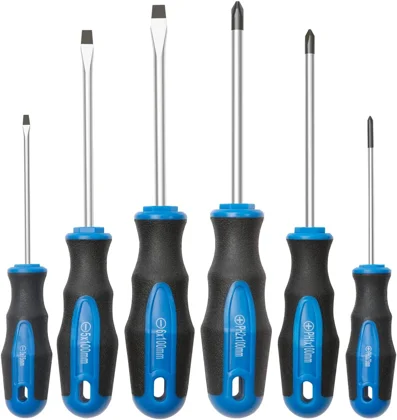
Use the bit that fully fits the fastener; use hand control for small adjustments.